AI-Moderated Surveys via MCP
A guide to creating surveys with AI probing using the Model Context Protocol (MCP) in Claude Code and other AI assistants.

Dr. Andreas Ejupi
AI Research
This article explains how to create surveys directly from your AI assistant using the Model Context Protocol (MCP).
What is MCP?
The Model Context Protocol (MCP) is an open standard by Anthropic. It defines how AI assistants can communicate with external systems.
The concept is comparable to USB: Just as USB provides a unified interface for hardware, MCP provides a unified interface for AI applications. Developers can build MCP servers that provide specific functionality — in this case, creating surveys.
How does it work?
The Feedbk Survey MCP provides the following functions:
- Create surveys — go from idea to live survey in seconds
- Configure question types — open questions, multiple choice, scales
- Enable AI probing — automatic follow-up questions for unclear answers
- Generate links — for sharing with participants
Communication runs through the AI assistant. You describe what you want to know, and the MCP server handles the technical implementation.
Quick Overview
- Open your AI assistant that supports MCP (Claude Desktop, ChatGPT, etc.)
- Connect to the Feedbk Survey MCP server (see Installation below)
- Start creating surveys by asking your AI assistant to help you draft a survey
- Publish and share your survey link with participants
Installation
Claude Desktop
- Navigate to Claude or open the Claude desktop app
- Go to Settings → Connectors → Add Custom Connector
- Enter the following details:
- Name:
Feedbk Survey - URL:
https://mcp.feedbk.ai/mcp
- Name:
- Click Save and start creating interviews
For more details, see the Claude Connectors documentation.
OpenAI ChatGPT
MCP support in ChatGPT is currently available through developer mode.
- Navigate to ChatGPT or open the ChatGPT desktop app
- Go to Settings → Apps & Connectors → Browse Connectors
- Select Add Custom Connector
- Enter the following details:
- Name:
Feedbk Survey - URL:
https://mcp.feedbk.ai/mcp
- Name:
- Click Save and start creating interviews
For more details, see the OpenAI MCP documentation.
Claude Code
claude mcp add --transport http feedbk https://mcp.feedbk.ai/mcp
OpenAI Codex
codex mcp add feedbk --url https://mcp.feedbk.ai/mcp
Other MCP Clients
Use the following endpoint:
- URL:
https://mcp.feedbk.ai/mcp - Transport:
HTTP
See also our GitHub Repository
Pricing: Free for personal use (limits may apply). For enterprise use, please contact us.
Usage
The MCP skill guides you through the interview creation process:
- Interview Name — What should the survey be called?
- Purpose — What is it about? (one sentence)
- Questions — What do you want to know?
Question Types
You can use different question types in your survey:
- Open text — Free-form responses, ideal for qualitative insights
- Multiple choice — Single or multiple selection from predefined options
- Rating scales — Numeric scales (e.g., 1-5) for measuring satisfaction or agreement
AI Probing
When enabled, AI probing automatically asks follow-up questions based on participant responses. For example, if someone gives a low rating, the AI might ask “What could we improve?” — similar to how a human interviewer would dig deeper for insights.
Learn more: Why AI Probing is the Secret to 5x More Insights – Deep dive into follow-up question methodology.
See it in action
The AI creates the survey and generates a shareable link for your participants. You also receive a link to the dashboard where you can view your survey results.
What participants see
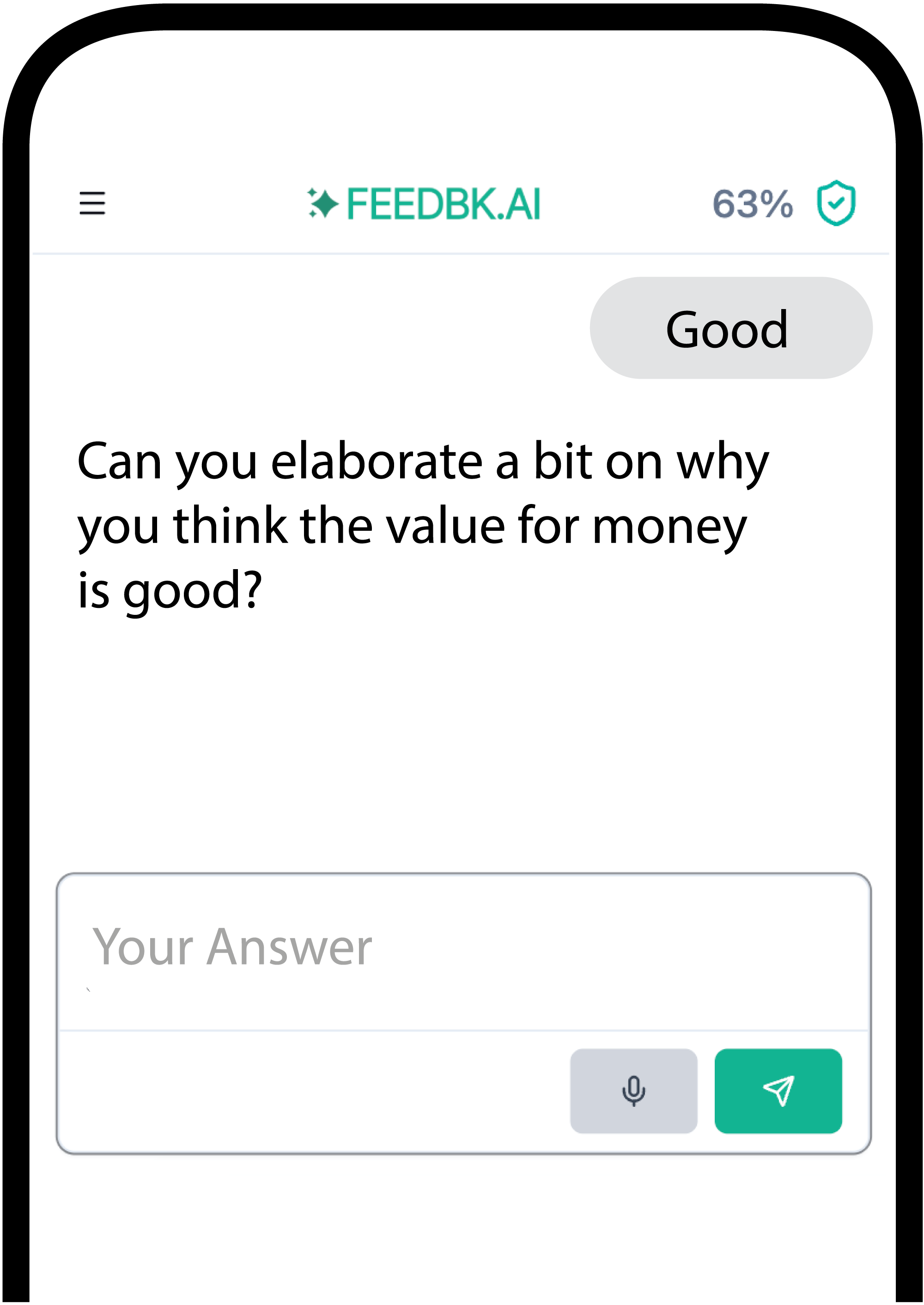
Participants interact with an AI-powered chat interface that guides them through your questions — with AI probing for deeper insights when needed.
Examples
Example 1: Create a customer feedback survey
User prompt: “I want to create a survey to get feedback on our new mobile app”
What happens:
- AI assistant loads the survey drafting skill
- Helps you define questions about usability, features, and satisfaction
- Configures AI probing for deeper follow-ups (e.g., on negative feedback)
- Save as text file or publish to feedbk.ai for a shareable link
Example 2: Design an employee engagement survey
User prompt: “Help me build a survey to measure team satisfaction based on my existing questions”
What happens:
- AI assistant loads the survey drafting skill
- Formats your questions into the right structure and question types
- Reviews critically and suggests improvements for clarity and bias
- Save as text file or publish to feedbk.ai for a shareable link
Example 3: Create a market research survey
User prompt: “I need a survey to understand why customers choose our competitor”
What happens:
- AI assistant loads the survey drafting skill
- Helps you design open-ended questions about competitor preferences
- Configures AI probing for automatic follow-ups based on responses
- Save as text file or publish to feedbk.ai for a shareable link
- Generate a QR code to share with participants
Troubleshooting
MCP server not connecting?
- Verify the URL is exactly
https://mcp.feedbk.ai/mcp - Check your internet connection
- Restart your AI assistant and try again
Survey creation fails?
- Ensure you have at least one question defined
- Check that question types are supported (open text, multiple choice, rating)
- Try simplifying your survey and adding complexity step by step
Link not working for participants?
- The survey link is only active after successful publication
- Check that you received a confirmation with both the survey link and dashboard link
AI probing not working as expected?
- AI probing requires open text or rating questions to trigger follow-ups
- Probing activates based on participant responses — test with varied answers
How to get support?
- Email us at office@feedbk.ai
- Open an issue on our GitHub repository
Summary
The MCP feature is particularly suited for quickly creating and sharing surveys — similar to SurveyMonkey or similar platforms, but directly in your AI assistant.
Typical use cases:
- Customer feedback — get insights on products, services, or apps
- Employee engagement — measure team satisfaction and morale
- Market research — understand customer preferences and competitor analysis
MCP is still a relatively new standard, so integration is not yet available in all tools. It works particularly well with Anthropic Claude Desktop and OpenAI ChatGPT.
Follow our blog for more updates, e.g. on AgentSkills — another standard for standardized workflows like creating or analyzing surveys.
Further Reading
- Create a Survey with ChatGPT – Detailed step-by-step guide with examples
- Why AI Probing Delivers 5x More Insights – How AI follow-ups work
- Top 5 AI Interview Tools 2026 – Compare leading platforms
- Conversational Surveys: The Complete Guide – Why chat-based surveys perform better
Try It Now
Want to test AI-moderated interviews?